> ## Documentation Index
> Fetch the complete documentation index at: https://dodopayments-mintlify-external-integration-datafast-autosen.mintlify.site/llms.txt
> Use this file to discover all available pages before exploring further.
# Purchasing Power Parity
> Learn how to implement Purchasing Power Parity pricing with ParityDeals integration to offer location-based discounts for your customers on Dodo Payments
## Introduction
[ParityDeals](https://www.paritydeals.com/) is a platform that enables automatic pricing optimization based on a customer's geographical location, commonly known as "purchasing power parity" pricing.
With ParityDeals, you can also offer [automatic time-based discounts](https://www.paritydeals.com/features/time-based-discounts/) and [holiday-based promotions](https://www.paritydeals.com/features/holiday-based-discounts/) throughout the year.
While you can't directly embed the ParityDeals banner on a Dodo Payments storefront (as custom scripts aren't supported), you can still implement ParityDeals effectively on your own website or application.
## How It Works
When ParityDeals is integrated into your website, eligible visitors will see a banner that includes a location-based discount code they can use at checkout.
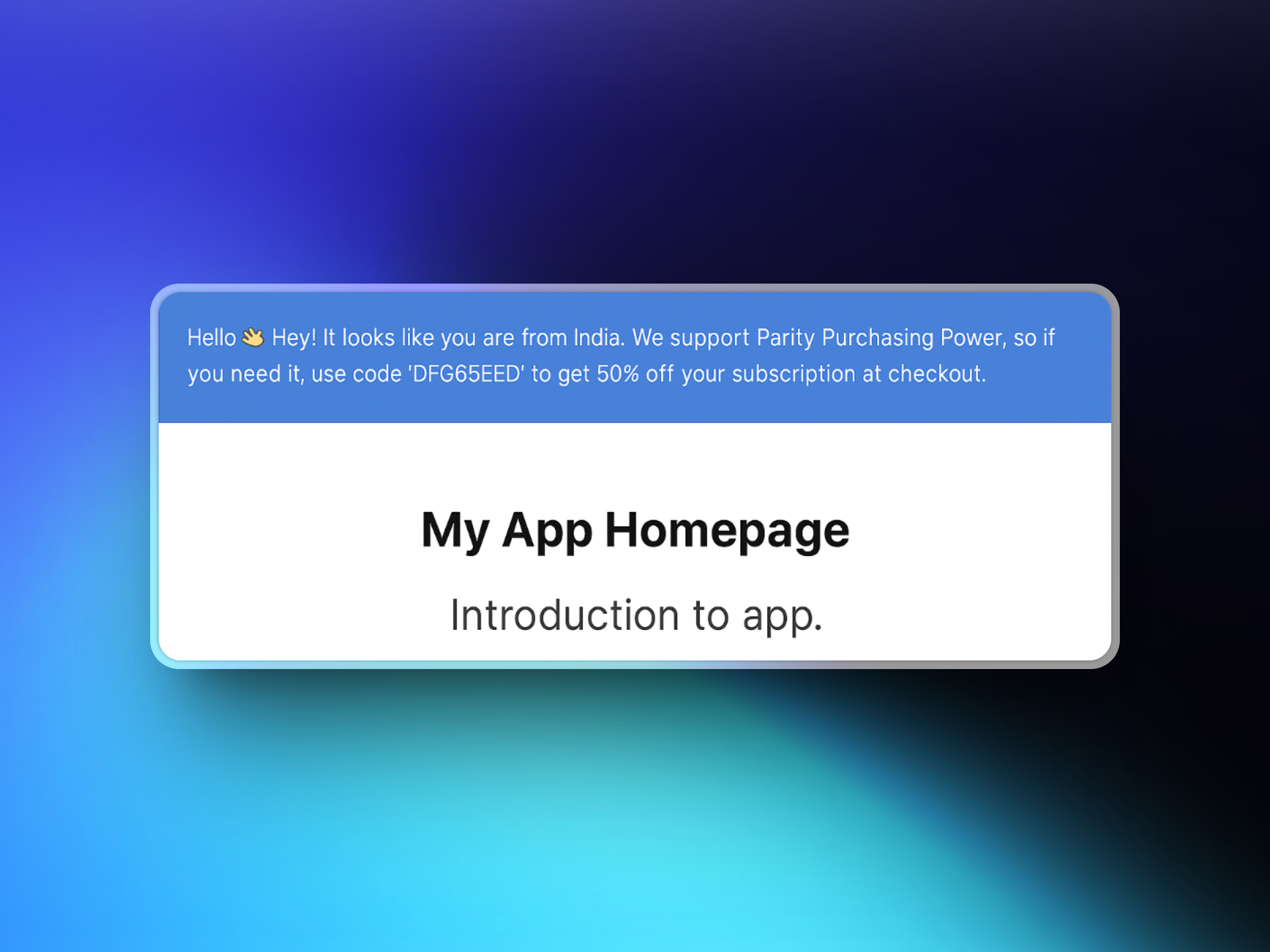 These discount codes are automatically created and managed by ParityDeals and will appear in your **Dodo Payments Dashboard** under **Sales → Discounts**.
## Step-by-Step Setup Guide
### 1. Sign up on ParityDeals
Visit [app.paritydeals.com](https://app.paritydeals.com/) and create an account.
### 2. Create Deals
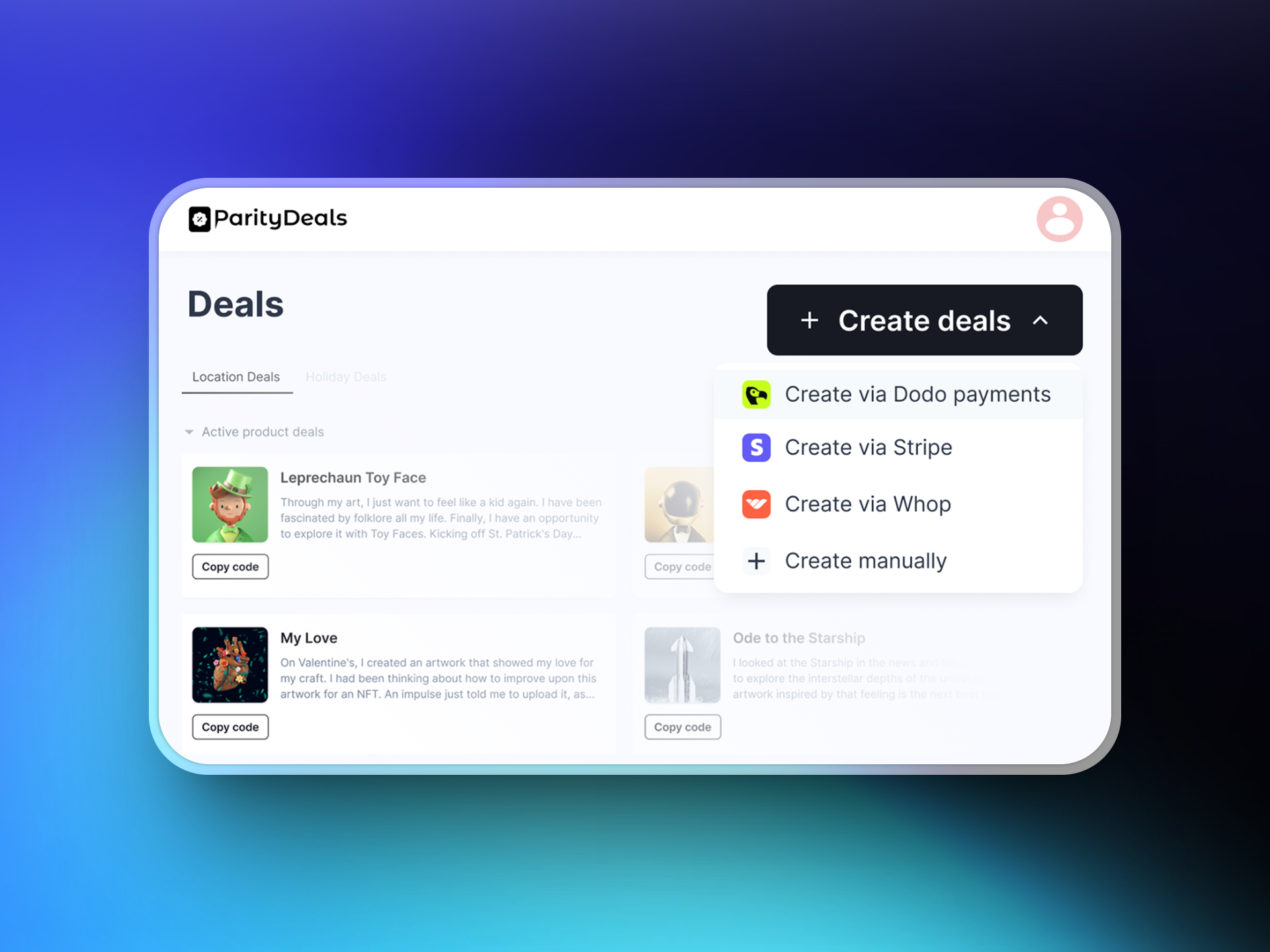
After signing in, locate the option to create deals. From the dropdown menu, select:
**→ "Create Deals via Dodo Payments"**
These discount codes are automatically created and managed by ParityDeals and will appear in your **Dodo Payments Dashboard** under **Sales → Discounts**.
## Step-by-Step Setup Guide
### 1. Sign up on ParityDeals
Visit [app.paritydeals.com](https://app.paritydeals.com/) and create an account.
### 2. Create Deals
After signing in, locate the option to create deals. From the dropdown menu, select:
**→ "Create Deals via Dodo Payments"**
 ### 3. Generate a Dodo Payments API Key
Log in to your **Dodo Payments dashboard** and navigate to:
**Developers → API Keys**
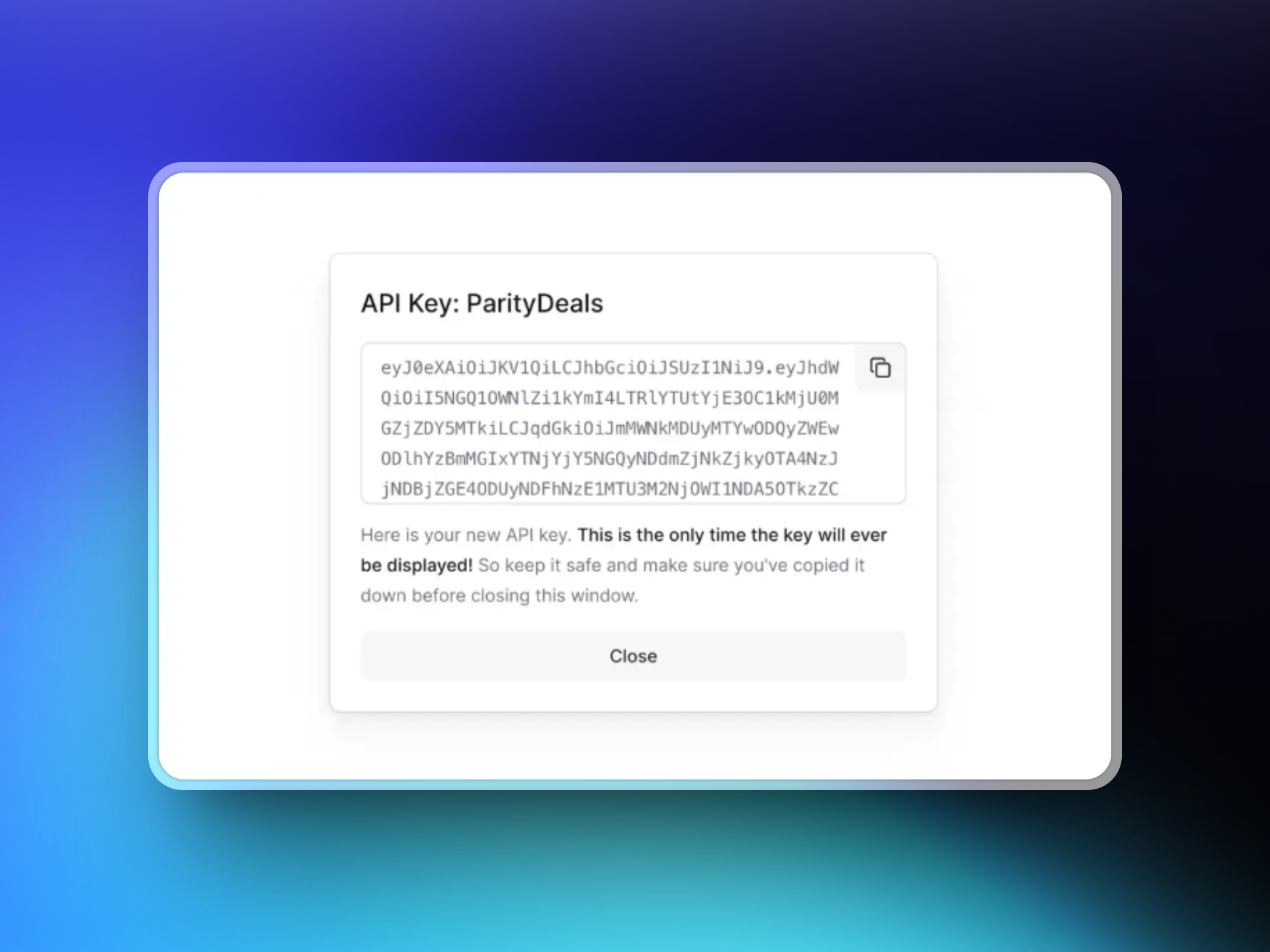
Click **"Create New API"** and name it something descriptive like "ParityDeals".
### 3. Generate a Dodo Payments API Key
Log in to your **Dodo Payments dashboard** and navigate to:
**Developers → API Keys**
Click **"Create New API"** and name it something descriptive like "ParityDeals".
 ### 4. Connect Your API Key to ParityDeals
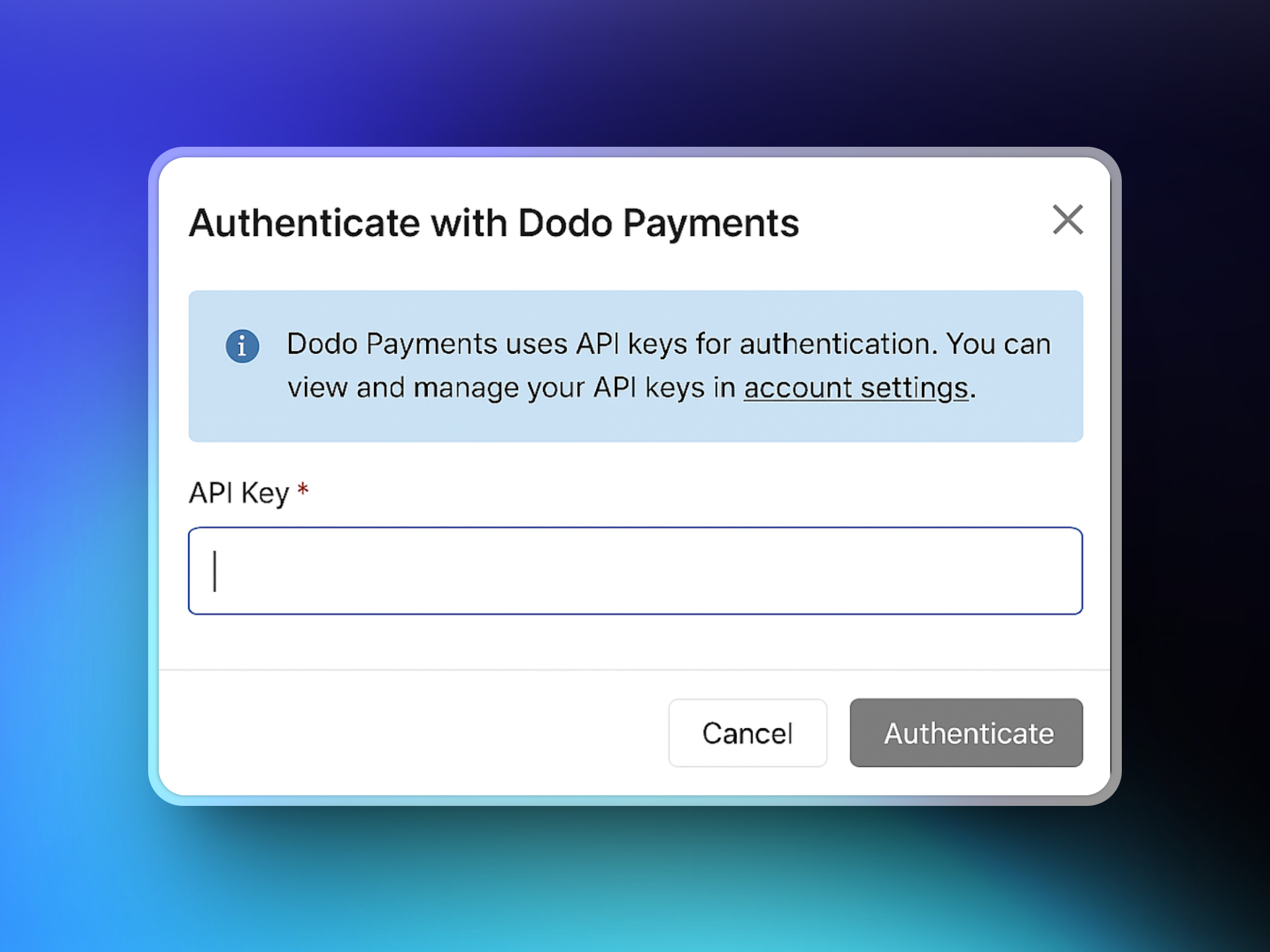
Copy the API key you created and paste it into the ParityDeals interface to establish the connection with your Dodo Payments account.
### 4. Connect Your API Key to ParityDeals
Copy the API key you created and paste it into the ParityDeals interface to establish the connection with your Dodo Payments account.
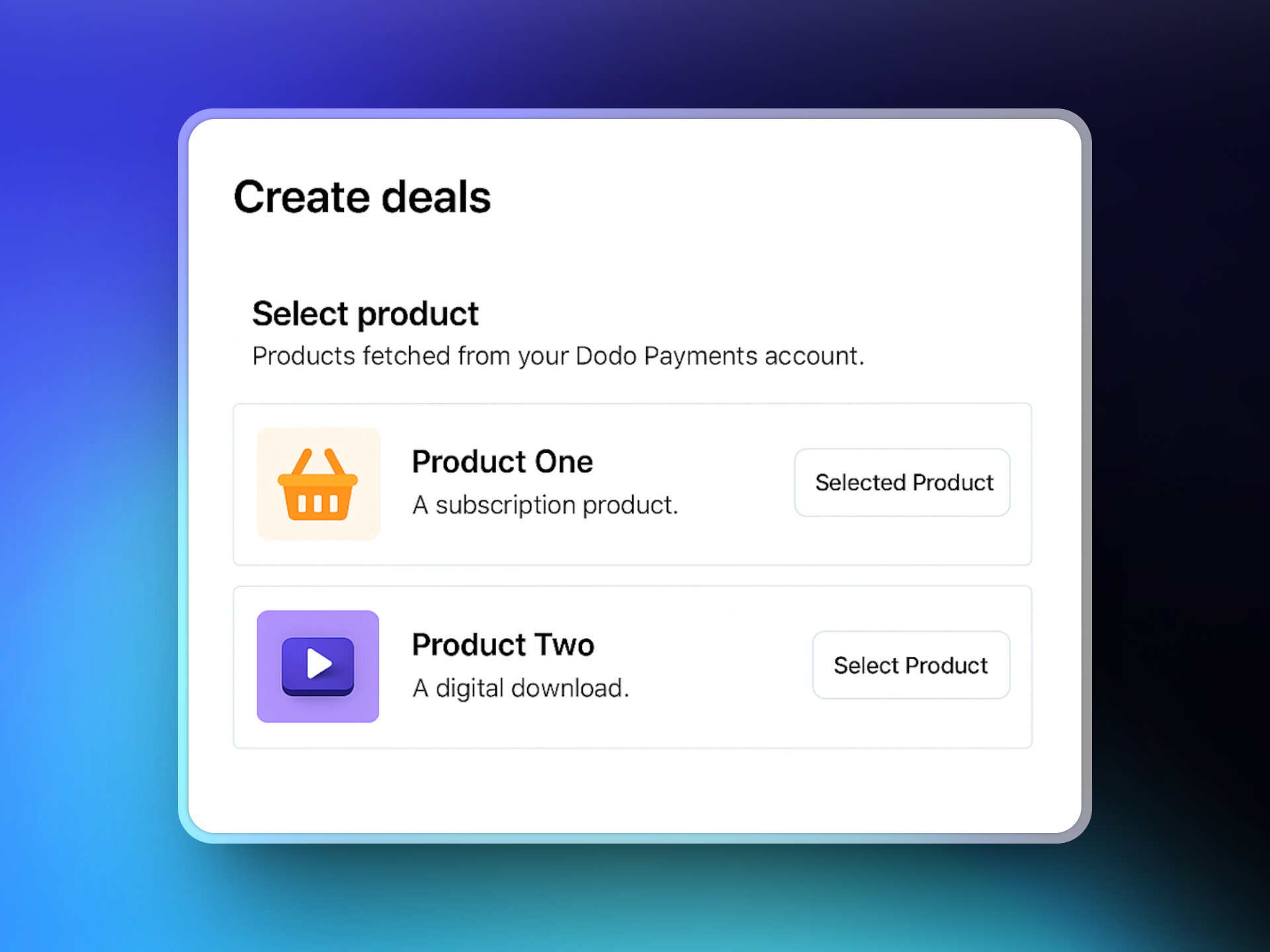
 ### 5. Select Products
Once connected, ParityDeals will fetch your Dodo Payments product catalog. Select the products you want to associate with your deals.
### 5. Select Products
Once connected, ParityDeals will fetch your Dodo Payments product catalog. Select the products you want to associate with your deals.
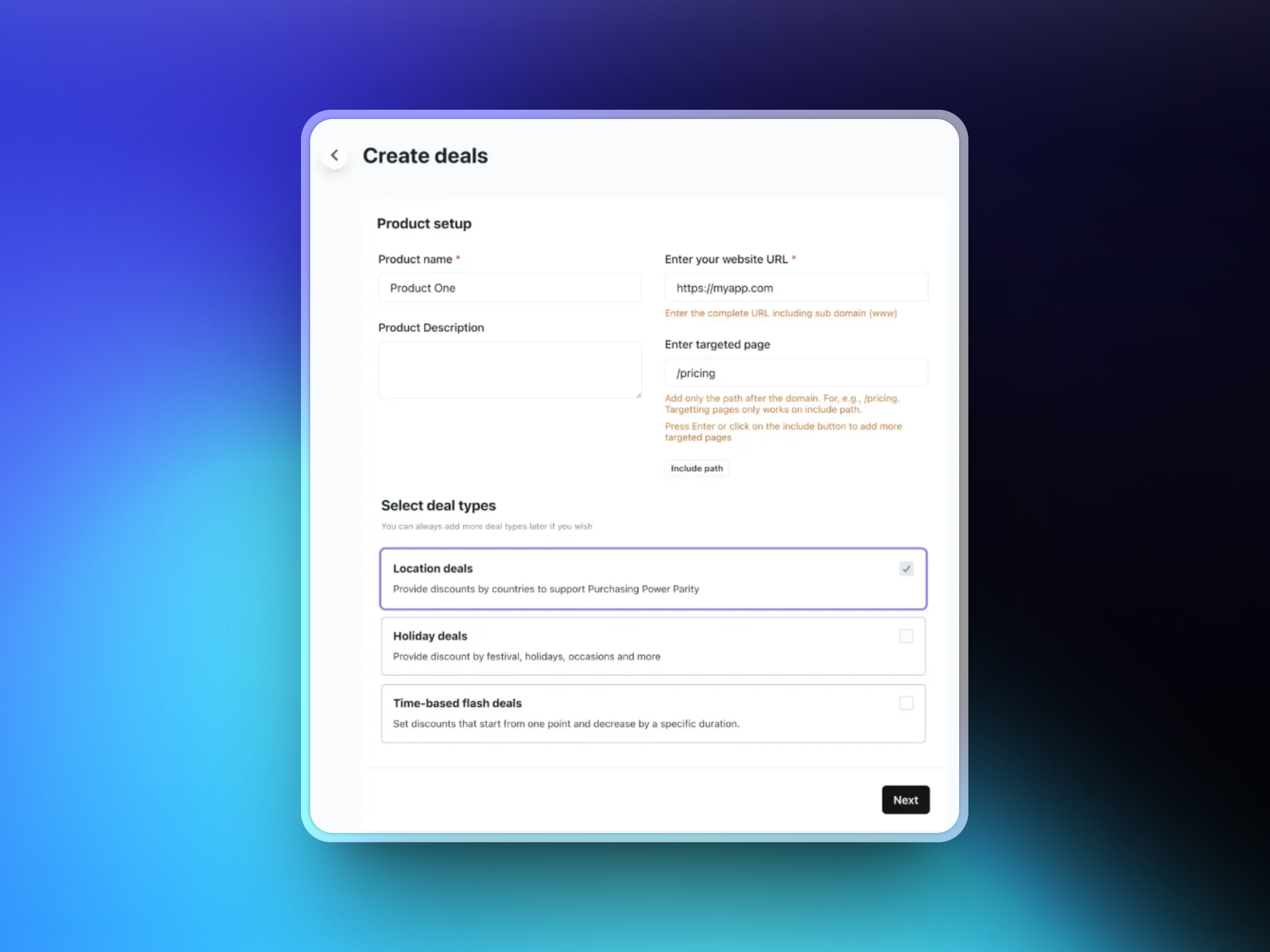
 ### 6. Configure Deal Settings
Enter your website URL and optionally select specific target pages where the discount banner should appear.
Then choose your preferred deal type:
* Location-based deals
* Holiday deals
* Time-based flash deals
### 6. Configure Deal Settings
Enter your website URL and optionally select specific target pages where the discount banner should appear.
Then choose your preferred deal type:
* Location-based deals
* Holiday deals
* Time-based flash deals
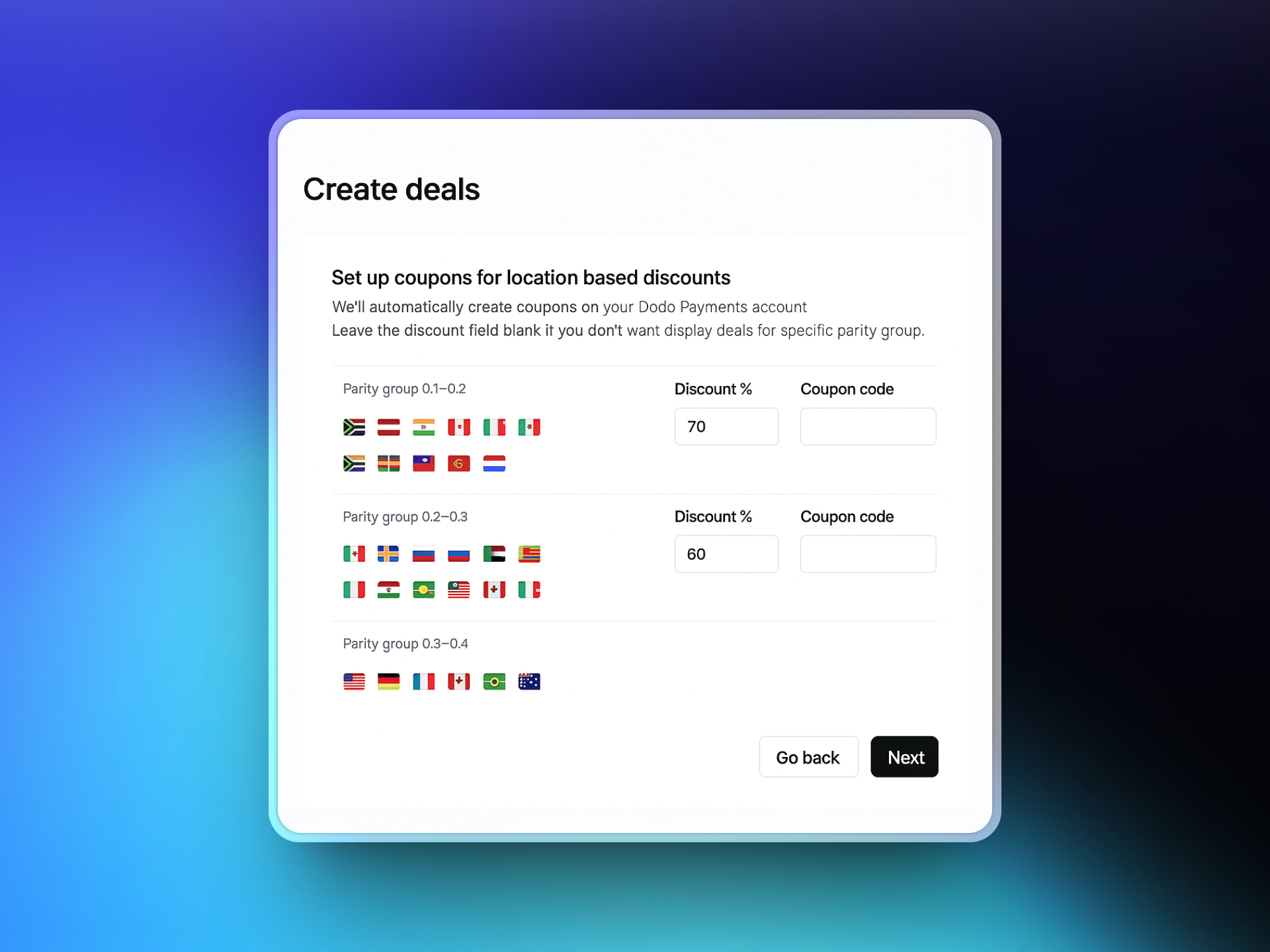
 ### 7. Set Country-Based Rules
Select the countries you want to offer localized discounts to and define the discount percentage for each. ParityDeals provides recommended defaults that you can adjust as needed.
### 7. Set Country-Based Rules
Select the countries you want to offer localized discounts to and define the discount percentage for each. ParityDeals provides recommended defaults that you can adjust as needed.
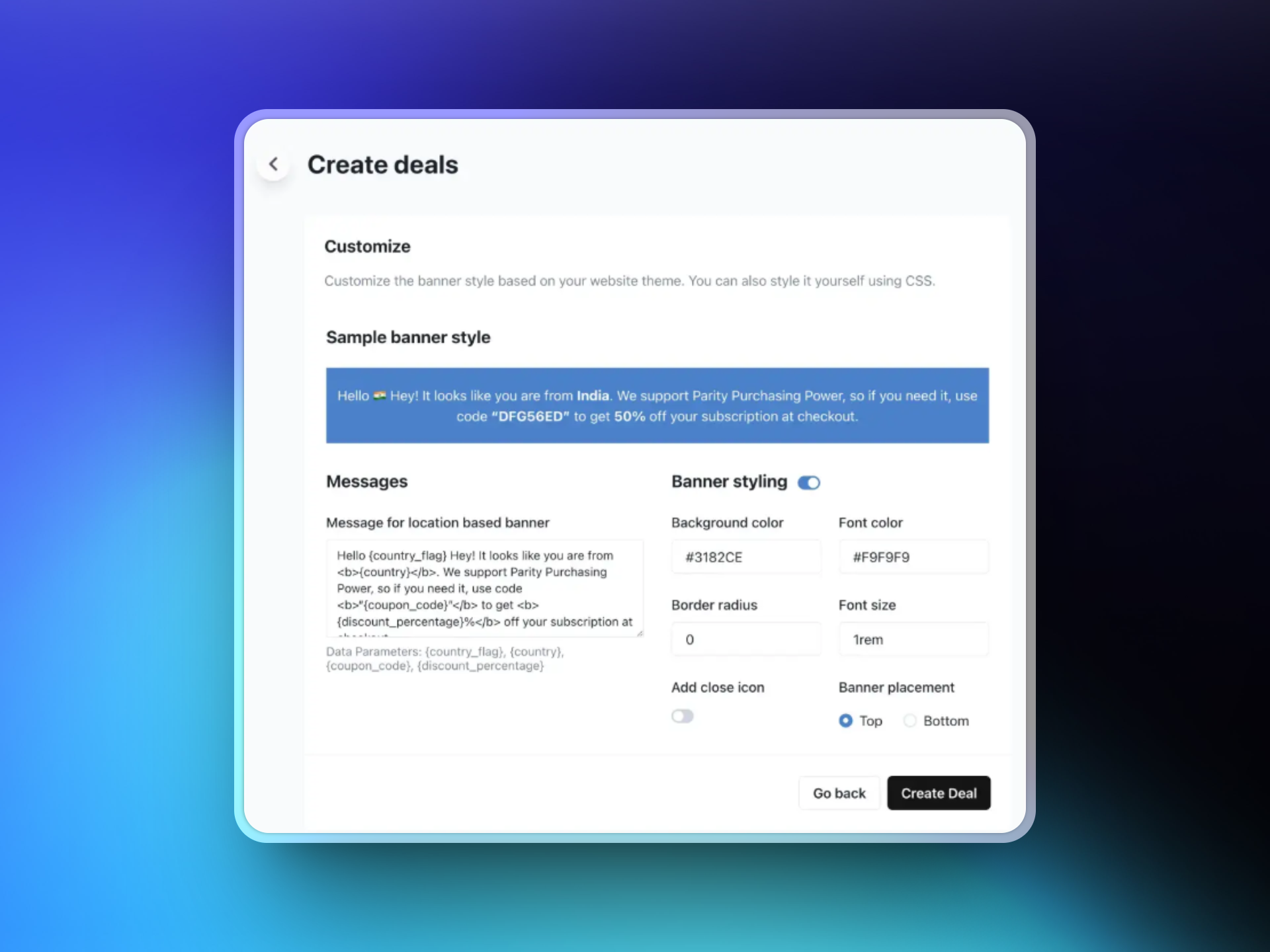
 ### 8. Customize the Banner
Design your discount banner by:
* Customizing the text
* Selecting colors and layout
* Choosing the banner position (top or bottom of page)
This banner will be displayed to eligible visitors based on your configured rules.
### 8. Customize the Banner
Design your discount banner by:
* Customizing the text
* Selecting colors and layout
* Choosing the banner position (top or bottom of page)
This banner will be displayed to eligible visitors based on your configured rules.
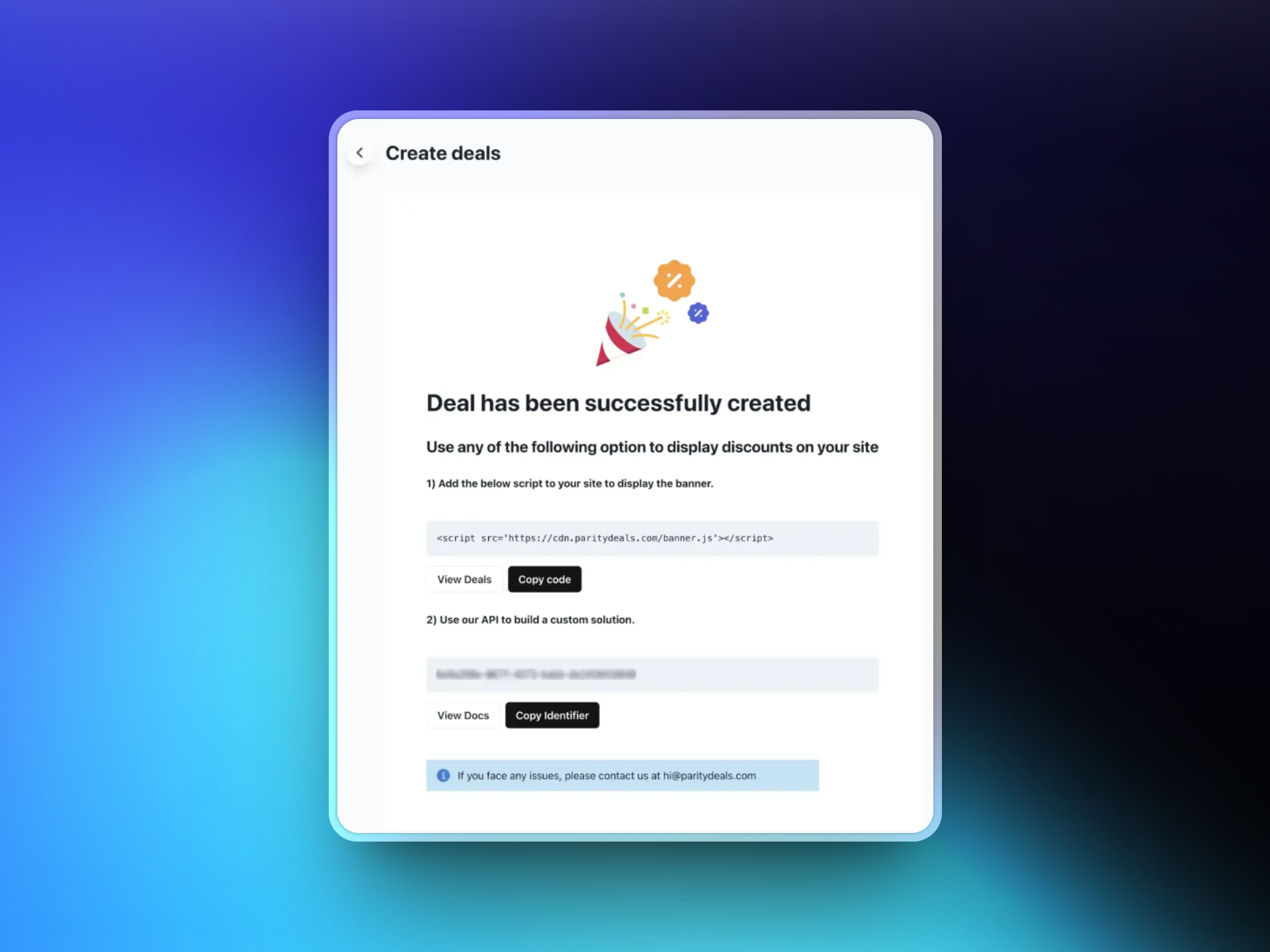
 ### 9. Add the ParityDeals Script to Your Website
After saving your deal, ParityDeals will generate a script. Add this script to your website code (typically in the `` section).
This script automatically detects visitor locations and displays the appropriate discount banner.
### 9. Add the ParityDeals Script to Your Website
After saving your deal, ParityDeals will generate a script. Add this script to your website code (typically in the `` section).
This script automatically detects visitor locations and displays the appropriate discount banner.
 ## All Set!
You're now ready to offer:
* **Location-based deals** - Adjust pricing based on purchasing power
* **Countdown/time-sensitive discounts** - Create urgency with limited-time offers
* **Holiday promotions** - Capitalize on seasonal shopping trends
All of these are automated through ParityDeals and work seamlessly with Dodo Payments.
For more detailed information, refer to the [ParityDeals Documentation](https://www.paritydeals.com/docs/) or contact their support team.
## All Set!
You're now ready to offer:
* **Location-based deals** - Adjust pricing based on purchasing power
* **Countdown/time-sensitive discounts** - Create urgency with limited-time offers
* **Holiday promotions** - Capitalize on seasonal shopping trends
All of these are automated through ParityDeals and work seamlessly with Dodo Payments.
For more detailed information, refer to the [ParityDeals Documentation](https://www.paritydeals.com/docs/) or contact their support team.