


Key Features
Real-time Delivery
Secure by Default
Automatic Retries
Event Filtering
Getting Started
Access Webhook Settings
Settings > Webhooks.Create Webhook Endpoint
Add Webhook to create a new webhook endpoint.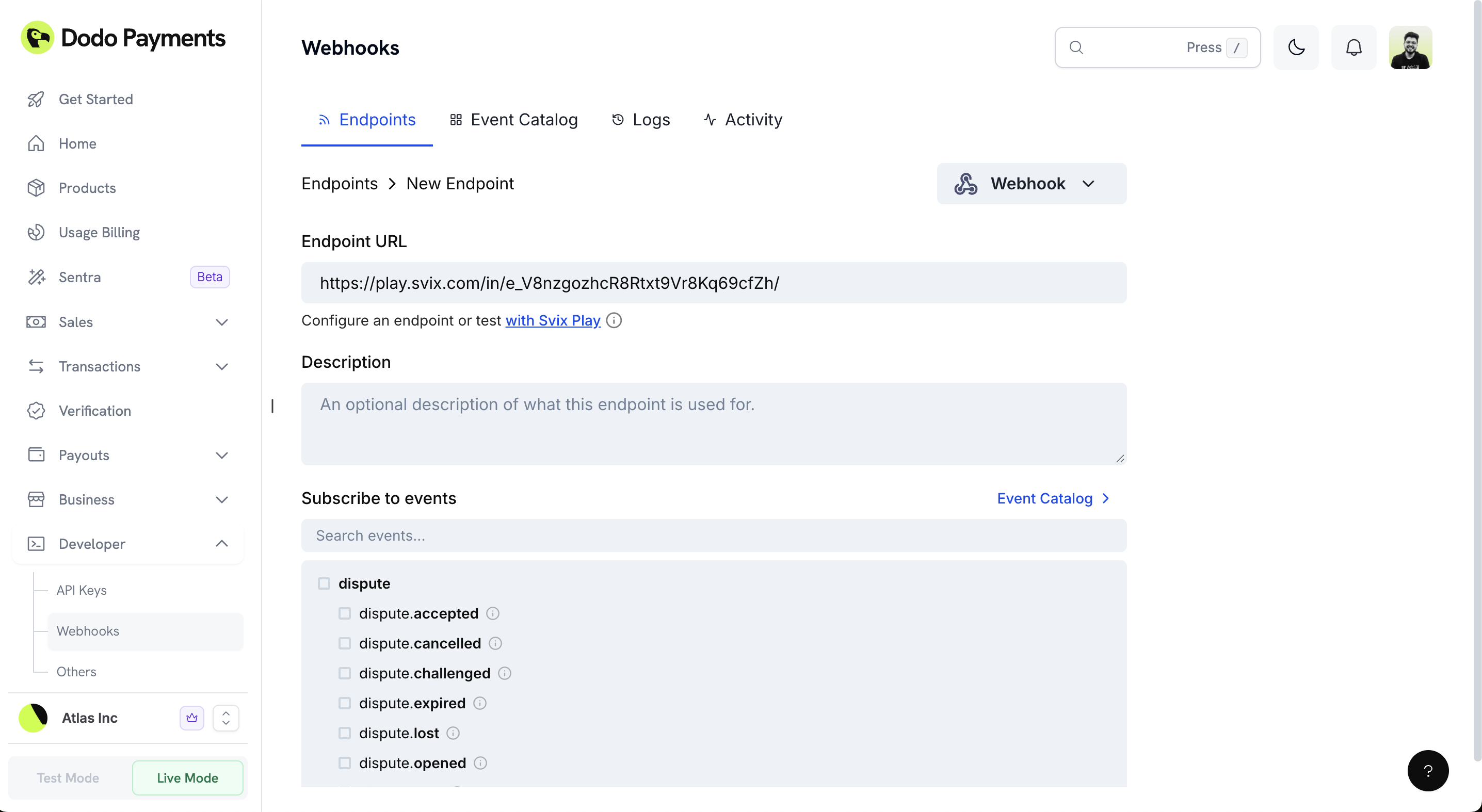
Add Endpoint URL
Select Events to Receive
Get Secret Key
Secret Key from the settings page. You’ll use this to verify the authenticity of received webhooks.Rotate Secret (Optional)
Configuring Subscribed Events
You can configure which specific events they want to receive for each webhook endpoint.Accessing Event Configuration
Navigate to Webhook Details
Settings > Webhooks.Select Your Endpoint
Open Event Settings
Managing Event Subscriptions
View Available Events
dispute, payment, subscription).Search and Filter
Select Events
- Select individual sub-events (e.g.,
dispute.accepted,dispute.challenged) - Select parent events to receive all related sub-events
- Mix and match specific events based on your needs
Review Event Details
Save Configuration
Webhook Delivery
Timeouts
Webhooks have a 15-second timeout window for both connection and read operations. Ensure your endpoint responds quickly to avoid timeouts.Automatic Retries
If a webhook delivery fails, Dodo Payments automatically retries with exponential backoff to prevent overwhelming your system.Idempotency
Each webhook event includes a uniquewebhook-id header. Use this identifier to implement idempotency and prevent duplicate processing.
Event Ordering
Webhook events may arrive out of order due to retries or network conditions. Design your system to handle events in any sequence.Securing Webhooks
To ensure the security of your webhooks, always validate the payloads and use HTTPS.Verifying Signatures
Each webhook request includes awebhook-signature header, an HMAC SHA256 signature of the webhook payload and timestamp, signed with your secret key.
SDK verification (recommended)
All official SDKs include built‑in helpers to securely validate and parse incoming webhooks. Two methods are available:unwrap(): Verifies signatures using your webhook secret keyunsafe_unwrap(): Parses payloads without verification
Manual verification (alternative)
If you are not using an SDK, you can verify signatures yourself following the Standard Webhooks spec:- Build the signed message by concatenating
webhook-id,webhook-timestamp, and the exact raw stringifiedpayload, separated by periods (.). - Compute the HMAC SHA256 of that string using your webhook secret key from the Dashboard.
- Compare the computed signature to the
webhook-signatureheader. If they match, the webhook is authentic.
Responding to Webhooks
- Your webhook handler must return a
2xx status codeto acknowledge receipt of the event. - Any other response will be treated as a failure, and the webhook will be retried.
Best Practices
Use HTTPS endpoints only
Use HTTPS endpoints only
Respond immediately
Respond immediately
200 status code immediately upon receiving the webhook. Process the event asynchronously to avoid timeouts.Handle duplicate events
Handle duplicate events
webhook-id header to safely process the same event multiple times without side effects.Secure your webhook secret
Secure your webhook secret
Webhook Payload Structure
Understanding the webhook payload structure helps you parse and process events correctly.Request Format
Headers
Request Body
payment.succeeded, subscription.created).Example Payload
Event Types
Event Payloads
Testing Webhooks
You can test your webhook integration directly from the Dodo Payments dashboard to ensure your endpoint is working correctly before going live.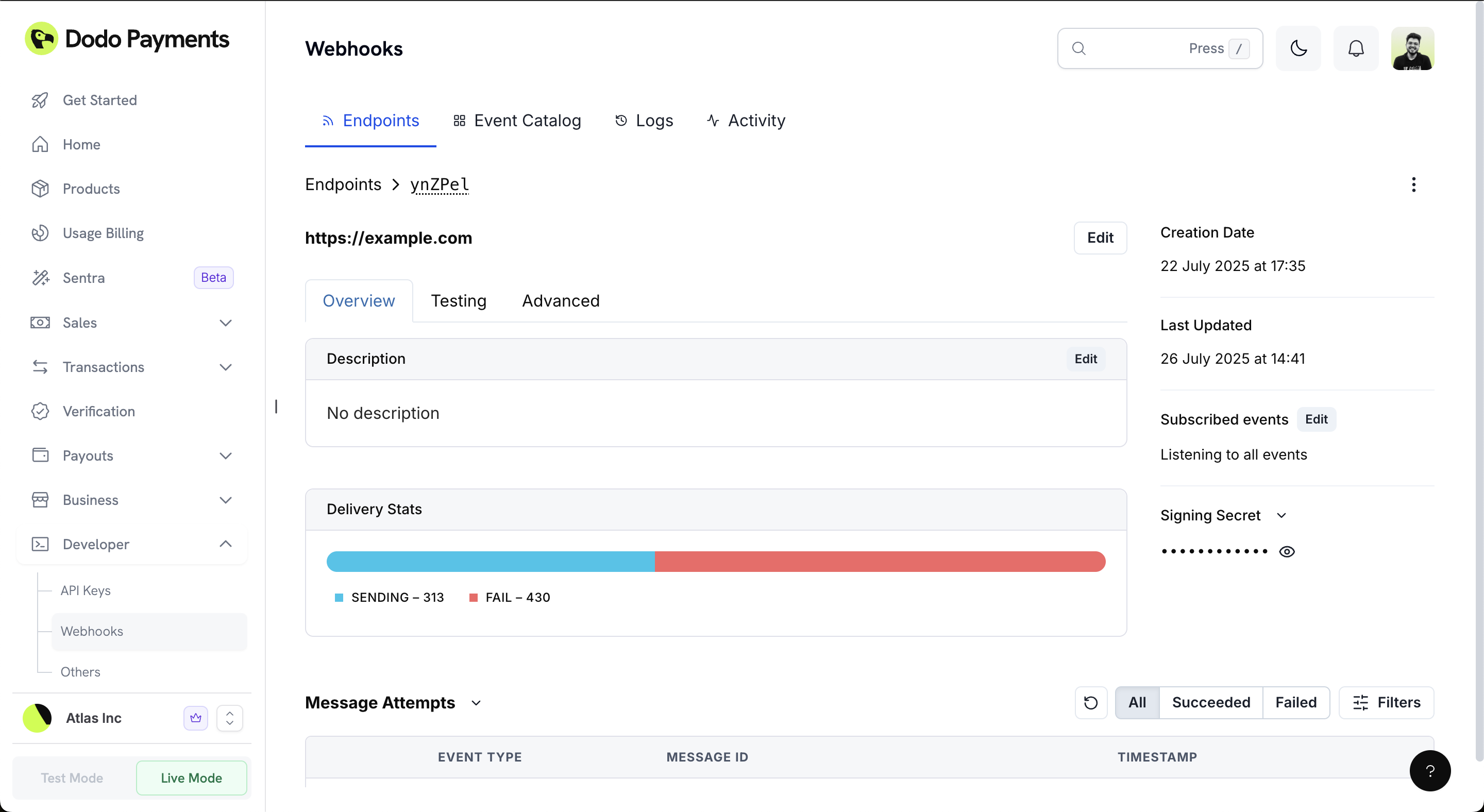
Accessing the Testing Interface
Navigate to Webhooks
Settings > Webhooks.Select Your Endpoint
Open Testing Tab
Testing Your Webhook
The testing interface provides a comprehensive way to test your webhook endpoint:Select Event Type
payment.succeeded, payment.failed, etc.).Review Schema and Example
Send Test Event
Verifying Your Test
Check Your Endpoint
Verify Signature
Test Response
2xx status code to acknowledge receipt.Implementation Example
Here’s a complete Express.js implementation showing webhook verification and handling:Advanced Settings
The Advanced Settings tab provides additional configuration options for fine-tuning your webhook endpoint behavior.Rate Limiting (Throttling)
Control the rate at which webhook events are delivered to your endpoint to prevent overwhelming your system.Access Rate Limit Settings
Configure Rate Limit
Set Limits
Custom Headers
Add custom HTTP headers to all webhook requests sent to your endpoint. This is useful for authentication, routing, or adding metadata to your webhook requests.Add Custom Header
Add Multiple Headers
Save Configuration
Transformations
Transformations allow you to modify a webhook’s payload and redirect it to a different URL. This powerful feature enables you to:- Modify the payload structure before processing
- Route webhooks to different endpoints based on content
- Add or remove fields from the payload
- Transform data formats
Enable Transformations
Configure Transformation
Test Transformation
Monitoring Webhook Logs
The Logs tab provides comprehensive visibility into your webhook delivery status, allowing you to monitor, debug, and manage webhook events effectively.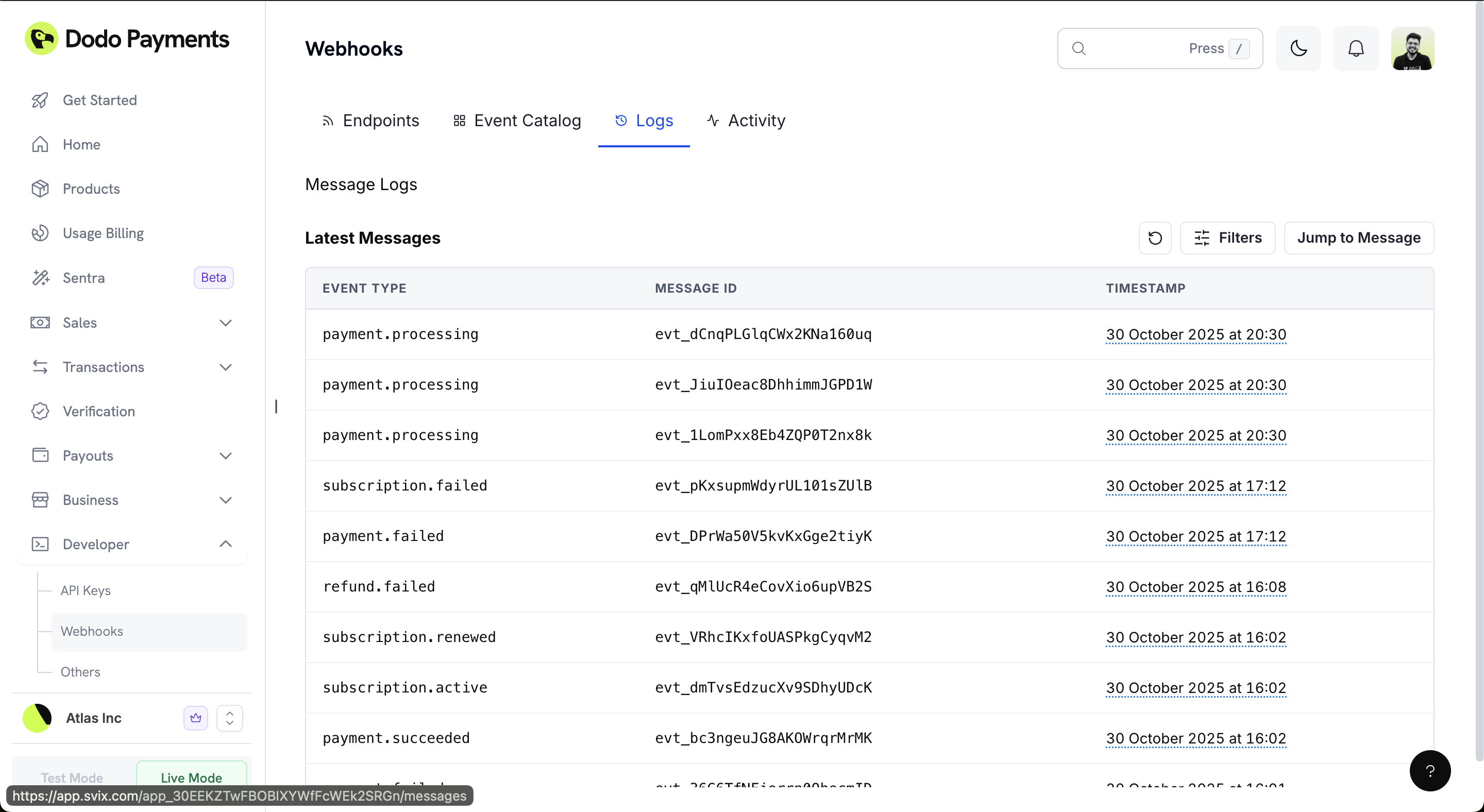
Activity Monitoring
The Activity tab provides real-time insights into your webhook delivery performance with visual analytics.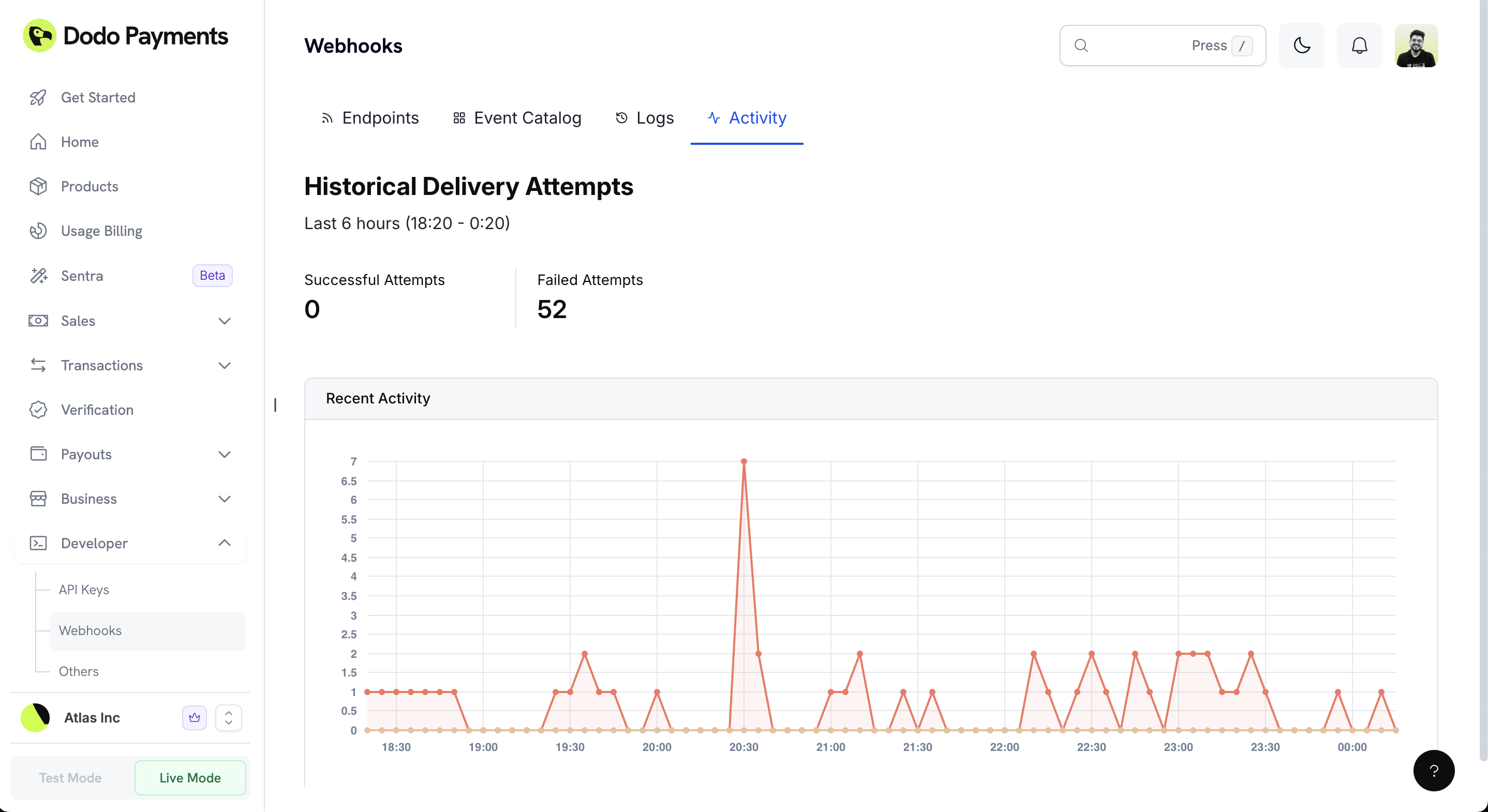
Email Alerts
Stay informed about your webhook health with automatic email notifications. When webhook deliveries start failing or your endpoint stops responding, you’ll receive email alerts so you can quickly address issues and keep your integrations running smoothly.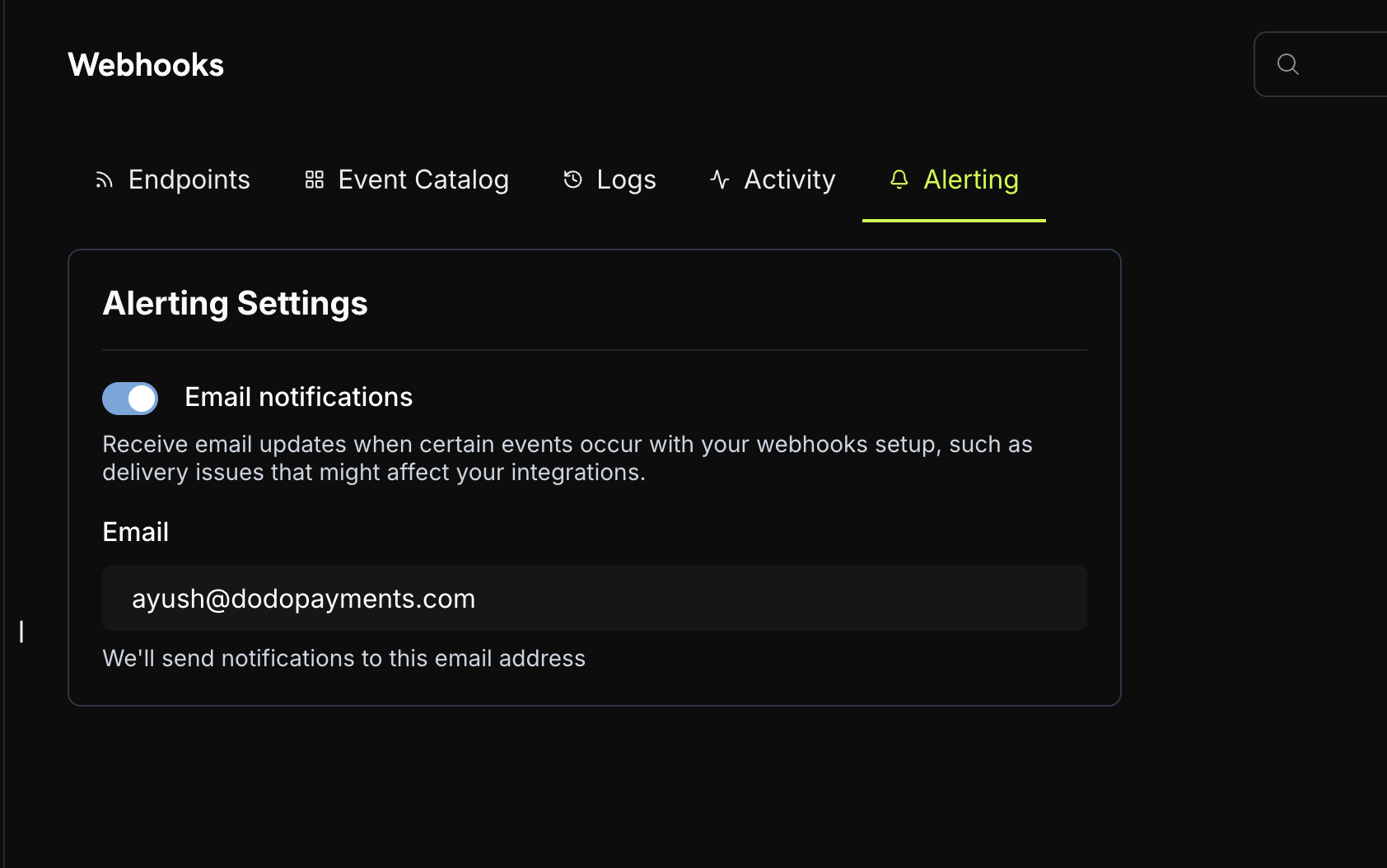
Enable Email Alerts
Navigate to Alerting Settings
Enable Email Notifications
Configure Email Address